 Help Center








 Go to Oodrive
Displaying terms of service (TOS)

Please note
A new module, Administration of Legal Notices, is now available for more advanced management of TOS and other legal notices.
Once you have configured your first notice in the Administration of Legal Notices module, the TOS section in the Access management module will be deactivated.
If you have general terms of service (TOS) to communicate to employees on the workspace before they access it, you can enable this option. After making any changes to the terms of service, you will have the option to re-display the TOS to workspace users.
-
In the Access Management module, click on the TOS section.
-
Click Yes.
-
Enter or paste the content of the terms of service to display to users after they first log in to your workspace.
-
Choose the frequency with which you would like to display the TOS to users:
at first log in
at every log in
-
Click Save along the bottom of the page to save your changes and enable the display of the TOS.
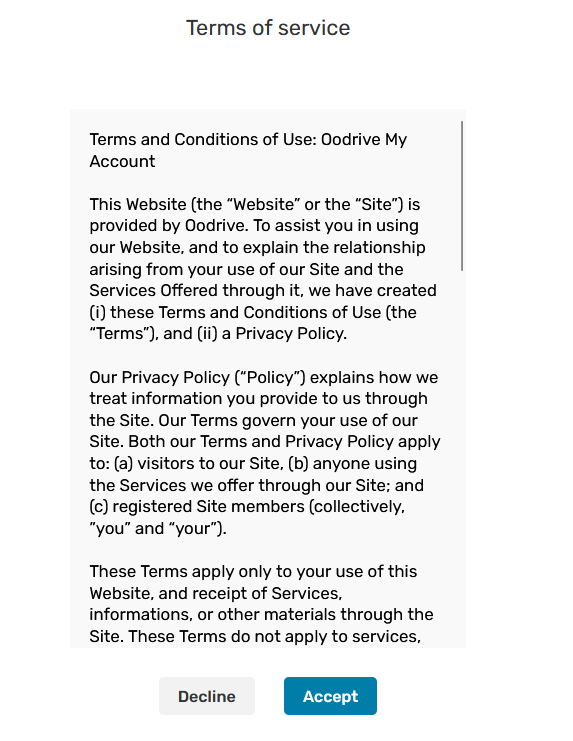
The next time a user logs into your workspace, they will be asked to accept the TOS being able to access the platform.
To update the terms of service:
-
In the text box, modify the TOS.
-
Click Save to apply your changes.
-
In the upper-right corner of the page, click Reset acceptance to display the updated TOS page to workspace users.
-
Click Reset to confirm.
Ressources